
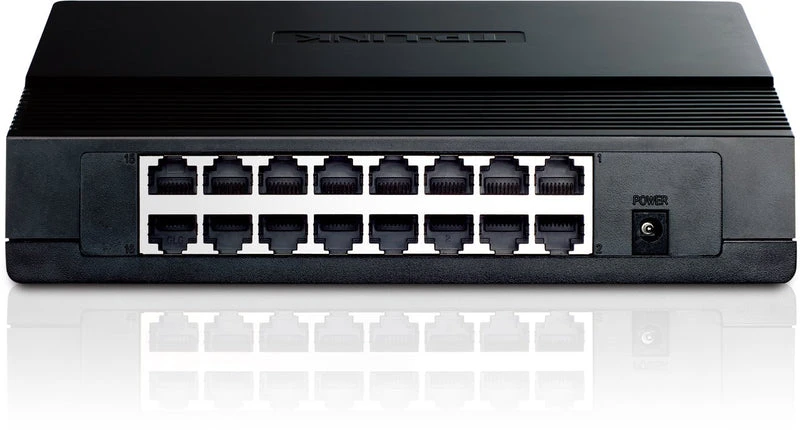
Choosing the best networking switches for enterprise solutions in Kenya is an important decision for businesses that depend on reliable connectivity, secure data transfer, and consistent network performance. Whether you are setting up an office in Nairobi, connecting departments in a school, expanding a corporate network, or building infrastructure for a data centre, the right network switch can improve performance and make future expansion easier.
A network switch connects computers, printers, servers, wireless access points, IP phones, CCTV cameras and other devices within a local area network. For enterprise environments, selecting the right switch involves more than counting Ethernet ports. You also need to consider network speed, Power over Ethernet, security, VLAN support, redundancy, management features, and compatibility with your existing equipment.
This guide explains the main types of enterprise networking switches, the features to look for, and how Kenyan businesses can choose equipment that matches their operational needs and budget.
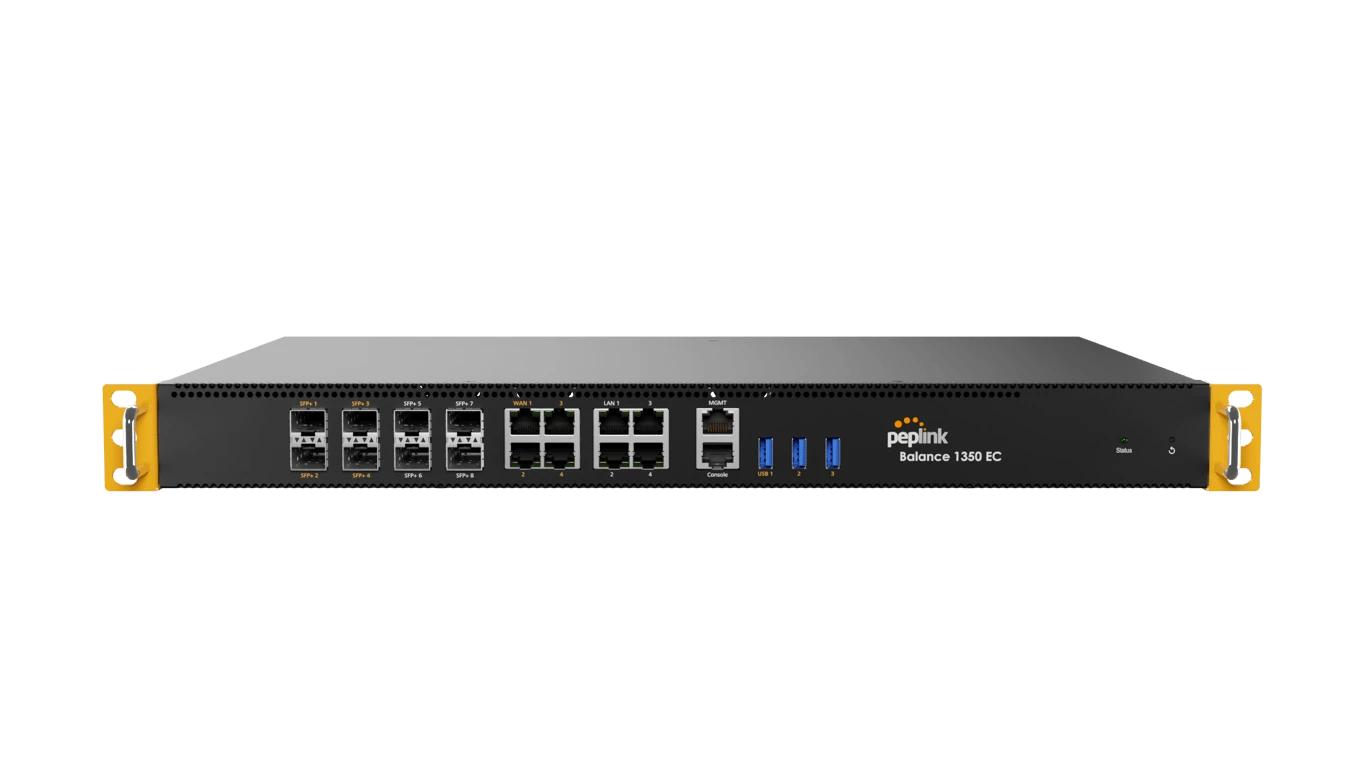
Quick Summary
- Small offices: Consider managed or smart managed Gigabit switches with enough ports for current devices and future expansion.
- Growing businesses: Look for managed switches with VLAN support, monitoring, security controls, and optional Power over Ethernet.
- Schools and large offices: Consider 24-port or 48-port switches with suitable uplink speeds and room for additional devices.
- IP cameras and wireless access points: Choose PoE switches if you want to supply power and data through one Ethernet cable.
- Enterprise networks: Consider Layer 3 switching, redundant uplinks and advanced management where your network design requires them.
- Data centres: Evaluate high-speed switching, low latency, redundancy and server connectivity requirements.
- Kenyan buyers: Check local availability, warranty, technical support, compatibility, and the total cost of ownership before purchasing.
1. What Is a Network Switch?
A network switch is a networking device that connects multiple devices within a local area network. It forwards data to the appropriate destination instead of sending every transmission to every connected device.
For example, a business may use a switch to connect desktop computers, network printers, servers and wireless access points. This allows authorized devices to communicate across the network and access shared resources.
Network switches are used in many Kenyan business environments, including:
- Corporate offices and commercial buildings
- Schools, colleges and universities
- Hospitals and healthcare facilities
- Banks and financial institutions
- Hotels and hospitality businesses
- Warehouses and logistics facilities
- Retail stores and supermarkets
- Internet service providers
- Data centres and server rooms
- CCTV and access control installations
The type of switch required depends on the number of connected devices, network traffic, security requirements and the level of management the business needs.
2. Types of Networking Switches for Enterprise Use
Before selecting a particular model, understand the main categories of network switches available.
Unmanaged Network Switches
An unmanaged switch is designed for simple plug-and-play connectivity. You connect the switch to your network and attach your devices without configuring advanced settings.
These switches are suitable for small offices, home offices, and basic network extensions.
However, they generally lack the advanced configuration and monitoring features required for more complex enterprise networks. They are not the best default choice when you need network segmentation, centralized monitoring, or detailed security policies.
Smart Managed Switches
Smart managed switches provide selected management features through a web interface or application. Depending on the model, they may support VLANs, Quality of Service, port monitoring, and basic access controls.
They are useful for small and medium-sized businesses that need more control than an unmanaged switch provides without the complexity of a fully managed enterprise solution.
Fully Managed Switches
Fully managed switches offer more extensive configuration, monitoring, security, and troubleshooting capabilities.
Features may include VLANs, access control lists, link aggregation, spanning tree protocols, SNMP monitoring, traffic prioritization, and redundant network connections.
They are often appropriate for medium and large enterprises, schools, hospitals, and organizations with dedicated IT support.
Layer 2 Switches
Layer 2 switches forward traffic using Ethernet addresses. They commonly support VLANs and other local network management features.
They are suitable for connecting computers, printers, access points, and other devices within network segments.
Layer 3 Switches
Layer 3 switches combine switching with routing capabilities. They can route traffic between supported network segments and VLANs without requiring every internal connection to pass through a separate router.
They are useful in larger networks where efficient inter-VLAN routing and network segmentation are important.
Not every business needs a Layer 3 switch. A simpler managed switch may be sufficient when routing is already handled by a router or firewall.
3. Best Networking Switch Brands for Enterprise Solutions in Kenya
Several manufacturers offer networking switches suitable for business and enterprise environments. The right brand depends on your network design, technical support requirements, management preferences, and budget.
Cisco Networking Switches
Cisco is widely used in corporate networks, educational institutions, data centres, and other environments that require advanced network management.
Cisco business and enterprise switching ranges include Catalyst models designed for different network sizes and workloads.
Cisco switches may be suitable for organisations that need:
- Advanced network management and monitoring
- VLANs and network segmentation
- Enterprise security features
- Redundant network connections
- Integration with existing Cisco infrastructure
- Support for structured network designs
Before purchasing, confirm the exact model’s licensing requirements, supported features, warranty and software support arrangements. Some enterprise features vary between product families and configurations.
TP Link Omada Networking Switches
TP-Link offers managed and smart managed switches through its Omada business networking range. Options include Gigabit Ethernet switches, PoE models such as the TP-Link 8-Port Gigabit PoE Switch and switches with faster uplinks for growing networks.
TP Link Omada switches can be suitable for small and medium sized enterprises, schools, hotels, offices and surveillance installations that need practical network management without necessarily adopting a more complex enterprise platform.
Depending on the model, features may include:
- VLAN support
- Quality of Service
- Power over Ethernet
- Fibre uplinks
- Centralized management through an Omada controller
- Traffic monitoring and access controls
For a business with several wireless access points and IP cameras, a managed Omada PoE switch may simplify both connectivity and power delivery.
Ubiquiti UniFi Networking Switches
Ubiquiti offers UniFi switches designed to work with its wider networking ecosystem.
These switches can be useful for businesses that want centralized visibility of compatible switches, wireless access points, and other UniFi equipment.
Depending on the model, features may include:
- Centralized network management
- VLAN support
- PoE for compatible access points and cameras
- Fibre uplinks
- Traffic monitoring
- Integration with other UniFi networking equipment
Ubiquiti may be worth considering for offices, hotels, schools and multi-room business premises. Check the management requirements and supported features of the specific switch before purchasing.
MikroTik Networking Switches
MikroTik provides switching equipment used in business networks, wireless service provider infrastructure and environments requiring flexible network configuration.
Its Cloud Router Switch range includes models with Gigabit Ethernet, PoE and higher speed fibre or Ethernet interfaces.
MikroTik switches may suit businesses that need:
- Flexible network configuration
- VLAN support
- High speed uplinks
- PoE connectivity on selected models
- Integration with existing MikroTik equipment
- More control over network traffic
Some configurations require networking expertise. Businesses without dedicated IT staff should consider the time and technical support required to maintain the equipment.
HPE Aruba Networking Switches
HPE Aruba Networking provides switching solutions for corporate networks, campuses and larger organisations.
Depending on the product family, Aruba switches can offer centralized management, VLANs, access controls, PoE and advanced network resiliency.
They may be suitable for organisations that need a consistent network architecture across several departments, buildings or locations.
When evaluating Aruba equipment, check the software support arrangements, licensing conditions, hardware compatibility and technical assistance available in Kenya.
D Link Networking Switches
D-Link offers switches for small offices, medium sized businesses and selected enterprise applications.
Its product range includes unmanaged, smart managed and PoE switches such as the D-Link DGS-1100-24P 24-Port PoE Gigabit Switch, allowing businesses to choose equipment according to their connectivity and management needs.
D Link may be worth evaluating for offices, schools, retail premises and CCTV installations that require practical switching features at a controlled cost.
Always verify the exact model’s management capabilities, PoE budget, uplink configuration and warranty before making a procurement decision.
4. Recommended Networking Switch Models to Consider in Kenya
The following models are examples to evaluate rather than a universal ranking. The best option depends on your port requirements, network architecture, connected devices and available budget.
TP Link TL SG3428X
The TP Link TL SG3428X is worth considering for businesses that need a managed Gigabit switch with additional high speed uplink capacity.
It may be appropriate for offices, schools and growing businesses that need to connect multiple computers, printers and access points while linking the access network to a faster distribution switch or router.
Consider this model when you need managed network functionality and want more uplink capacity than a basic Gigabit switch offers. Confirm the exact port configuration and supported features before purchasing.
TP Link TL SG2428P
The TL SG2428P is a managed PoE+ switch designed for networks that need both wired connectivity and power delivery to compatible devices.
Potential applications include:
- IP surveillance cameras
- Wireless access points
- Compatible VoIP phones
- Small and medium sized office networks
Its combination of Ethernet ports, PoE support and fibre uplinks makes it an option for businesses that want to reduce the need for separate power adapters. Check the available PoE power budget against the total requirements of the devices you intend to connect.
MikroTik CRS328 24P 4S+RM
The MikroTik CRS328 24P 4S+RM is worth considering for installations that require multiple Gigabit Ethernet ports, PoE functionality and higher speed uplinks.
It may suit businesses, surveillance deployments and network installations where configuration flexibility is important.
Before choosing it, verify PoE compatibility with your cameras or access points, calculate the required power budget and confirm that the available configuration options match your network design.
Ubiquiti UniFi Switch Pro 24 PoE
The UniFi Switch Pro 24 PoE is an option for businesses that use or plan to adopt the UniFi networking ecosystem.
It can be considered for environments that need PoE connectivity, centralized management and higher speed uplinks for compatible network equipment.
It may be suitable for offices, hotels, schools and business premises with several wireless access points and other powered network devices. Confirm the supported PoE standards, power budget and management requirements for the exact model.
Aruba Instant On 1930 24G
The Aruba Instant On 1930 24G range is worth evaluating for smaller businesses that need managed switching without the requirements of a larger enterprise core network.
Depending on the specific model, the range offers features intended for business networks, including management options and uplink connectivity.
When selecting a version, confirm whether you need PoE, how many uplink ports are available and whether the management options meet your organisation’s needs.
Cisco Business and Catalyst Switches
Cisco offers different switching families for small businesses and larger enterprise deployments, ranging from the Cisco SG300 24-Port PoE Smart Switch to enterprise-tier Cisco Catalyst WS-C3850-48P-S models. The appropriate choice depends on whether you need straightforward managed switching, advanced routing, higher port density or a resilient campus network.
For a smaller organisation, a business-oriented model may be sufficient. Larger organisations should assess Catalyst models against their security requirements, redundancy plans, uplink speeds and long-term support needs.
Do not select a Cisco switch solely because of the brand. Compare the exact model, software requirements, support arrangements and total cost with other suitable options.
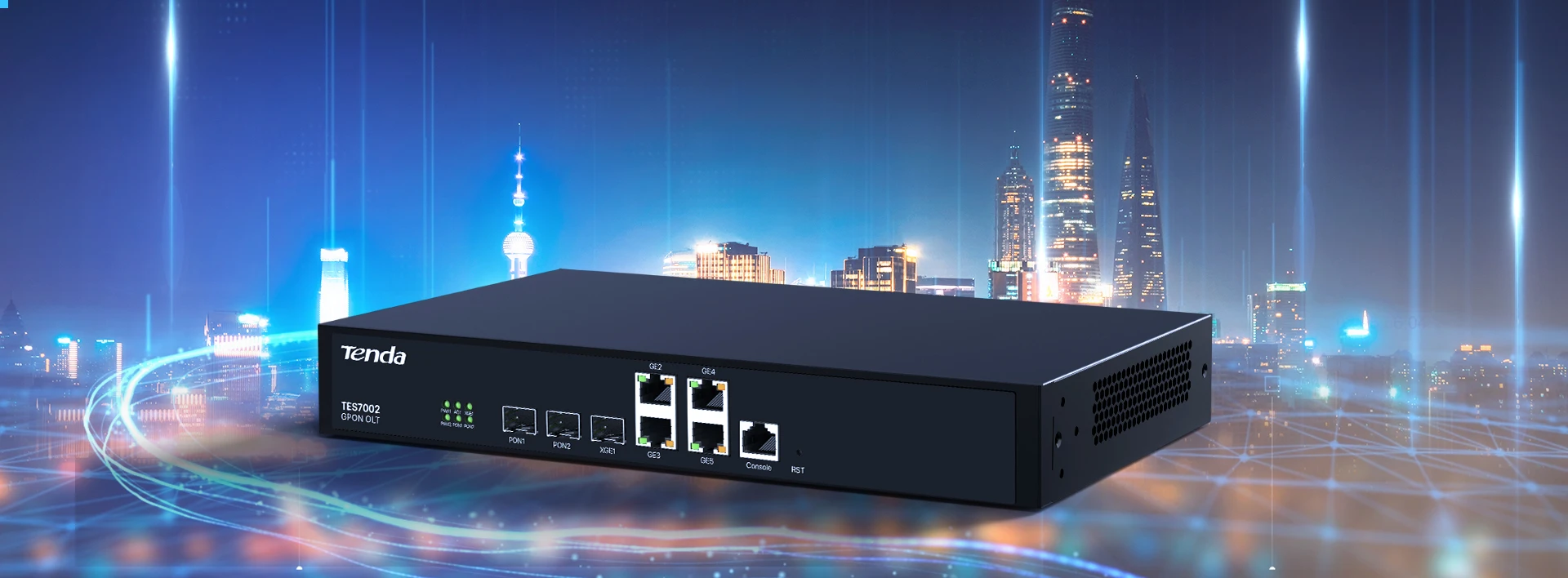
5. How to Choose the Right Number of Switch Ports
Port capacity determines how many devices can connect directly to a switch. Choosing too few ports can lead to additional hardware purchases and unnecessary network complexity.
8 Port Switches
An 8 port switch such as the D-Link 8-Port Gigabit Switch or Cisco 8-Port Gigabit Switch may suit a small office, a compact network cabinet or a limited number of devices in a separate work area.
It can connect several computers, a printer and an access point, provided the port count and PoE requirements are sufficient.
For a growing business, leave spare ports for future equipment rather than filling every port immediately.
16 Port Switches
A 16 port switch such as the D-Link DGS-F1210-18PS-E 16-Port Gigabit PoE Switch may suit a small office with several employees, a retail business or a department that needs additional wired connections.
It can also work as an access switch in a larger network where several smaller switches connect to a central distribution layer.
24 Port Switches
A 24 port switch such as the Cisco SG100-24 24-Port Gigabit Switch or D-Link 24-Port Gigabit Switch is a practical choice for many small and medium sized enterprise networks.
It can support a mixture of computers, printers, wireless access points and other Ethernet devices, depending on the installation.
A managed 24 port switch is particularly useful when the business needs VLANs, monitoring or network segmentation.
48 Port Switches
A 48 port switch such as the Cisco SF200-48 48-Port Smart Switch or Ubiquiti UniFi 48-Port PoE Pro Switch may be appropriate for larger offices, schools, hotels, server rooms and environments with many wired devices.
Before purchasing, confirm that the switch has sufficient switching capacity, suitable uplinks and an appropriate power budget if PoE is required.
For larger installations, multiple switches connected through a properly designed distribution network may provide better flexibility and resilience than relying on a single large switch.
6. Why Power over Ethernet Matters for Enterprise Networks
Power over Ethernet, commonly known as PoE, allows compatible network equipment to receive both data and electrical power through a single Ethernet cable.
This can simplify installations by reducing the need for separate power adapters near connected devices.
PoE switches are particularly useful for:
- IP CCTV cameras
- Wireless access points
- VoIP desk phones
- Video conferencing devices that support PoE
- Selected access control and building management equipment
Understand PoE Standards
Different devices require different amounts of power. Common PoE standards defined under IEEE 802.3 Ethernet Standards include IEEE 802.3af, IEEE 802.3at and IEEE 802.3bt.
PoE, PoE+ and PoE++ are commonly used terms associated with these standards, although the exact supported capabilities vary by equipment.
Before purchasing a PoE switch, check three things.
First, check device compatibility. The switch must support the power standard required by the camera, phone or access point.
Second, calculate the PoE budget. The total available power must be sufficient for the devices connected simultaneously. A switch with many PoE ports may still have a limited overall power budget.
Third, consider future expansion. If you expect to add cameras or wireless access points, leave enough power capacity for additional devices.
Do not assume that every Ethernet switch supports PoE. Standard switches without PoE capability will not power compatible devices directly.
7. Why Managed Switches Are Important for Enterprise Security
Enterprise networks often carry different types of traffic, including employee data, guest internet access, CCTV video, voice communications and server traffic.
Allowing every device to operate on one unrestricted network can create unnecessary security and management challenges.
Managed switches provide tools that help administrators organize and control this traffic.
VLANs
Virtual local area networks allow administrators to separate devices into logical network segments.
For example, a business may separate its employee computers, guest Wi Fi, CCTV cameras and voice communication equipment into different VLANs.
This can improve organization and reduce unnecessary communication between devices. However, VLANs alone do not provide complete security. Traffic between VLANs should be controlled through appropriate routing and firewall policies.
Access Control Lists
Some managed switches support access control lists that restrict certain types of network traffic.
These controls can help enforce network policies, although available features vary between models.
Quality of Service
Quality of Service allows supported switches to prioritize selected traffic. This can help when voice calls, video meetings and other time sensitive applications compete with less urgent traffic.
Correct configuration is important. QoS cannot create additional bandwidth when the underlying network is overloaded.
Network Monitoring
Managed switches may provide traffic statistics, port status information, logs and monitoring through protocols such as SNMP.
These tools help IT teams investigate connection failures, unusual traffic and performance issues.
Firmware and Access Security
Choose equipment that receives security updates and supports secure administration. Change default credentials, restrict management access and keep firmware updated according to the manufacturer’s recommendations.
8. Understand Uplink Speeds and Fibre Connectivity
A network switch can have many Gigabit Ethernet ports but still experience congestion if the connections carrying traffic to other switches or servers are insufficient.
This is why uplink capacity is an important consideration when choosing enterprise networking equipment.
Gigabit Ethernet Uplinks
Gigabit Ethernet uplinks provide speeds of up to 1 Gbps per link under suitable conditions. They may be sufficient for small offices and networks with moderate traffic.
10 Gigabit Ethernet Uplinks
10 Gigabit Ethernet uplinks can help connect access switches to distribution switches, servers or network storage systems that handle heavier traffic.
They are worth considering for larger offices, schools, businesses transferring large files and environments with many wireless access points.
Fibre Uplinks
Fibre connections can link switches across longer distances and between buildings. They are particularly useful for campus networks, large commercial premises and installations where electrical interference is a concern.
Depending on the switch, fibre connectivity may use SFP, SFP+ or other transceiver interfaces.
Before purchasing fibre equipment, verify the transceiver type, supported speed, fibre type and connector compatibility. Also confirm whether the switch requires specific approved transceivers.
9. Layer 2 vs Layer 3 Switches for Enterprise Networks
Choosing between Layer 2 and Layer 3 switching depends on how your network is structured.
When a Layer 2 Switch Is Enough
A Layer 2 switch may be sufficient when the main requirement is connecting devices within a network segment.
It is often suitable for:
- Small and medium sized offices
- Departmental networks
- Retail premises
- Basic access layer connectivity
- Networks where routing is handled by a separate router or firewall
Managed Layer 2 switches can still provide important features such as VLANs, monitoring and access controls.
When to Consider a Layer 3 Switch
A Layer 3 switch may be useful when a business needs to route traffic between multiple VLANs or network segments at high speed.
Potential applications include:
- Large corporate offices
- University and school campuses
- Multi department networks
- Enterprise distribution layers
- Networks with substantial internal traffic
However, routing between VLANs should be designed carefully. A Layer 3 switch does not automatically replace a firewall, particularly where inspection, internet security policies or advanced threat protection are required.
For complex networks, a network engineer can help determine whether routing should be handled by a Layer 3 switch, a firewall or a combination of both.
10. Network Redundancy and Reliability
Enterprise networks often support operations that cannot tolerate prolonged downtime. A failed switch can interrupt access to applications, shared files, communication systems and business services.
Consider these reliability features when choosing enterprise equipment.
Redundant Uplinks
Some switches support multiple uplinks, link aggregation or redundant network paths.
These features can help improve availability and provide additional capacity when configured correctly.
Spanning Tree Protocols
Spanning Tree Protocol helps prevent switching loops when redundant Layer 2 paths exist. Certain versions offer faster recovery following network changes or link failures.
The specific protocol supported should match your network design.
Stackable Switches
Some enterprise switches can be stacked or managed as a unified system. This can simplify administration and may improve resilience, depending on the implementation.
Verify whether stacking is supported by the exact model and whether additional hardware or licences are required.
Power Protection
Use suitable power protection for critical networking equipment. A UPS can provide temporary backup power, while redundant power supplies may be appropriate for selected enterprise switches.
Power redundancy should be designed across the wider installation, not just at the switch itself.
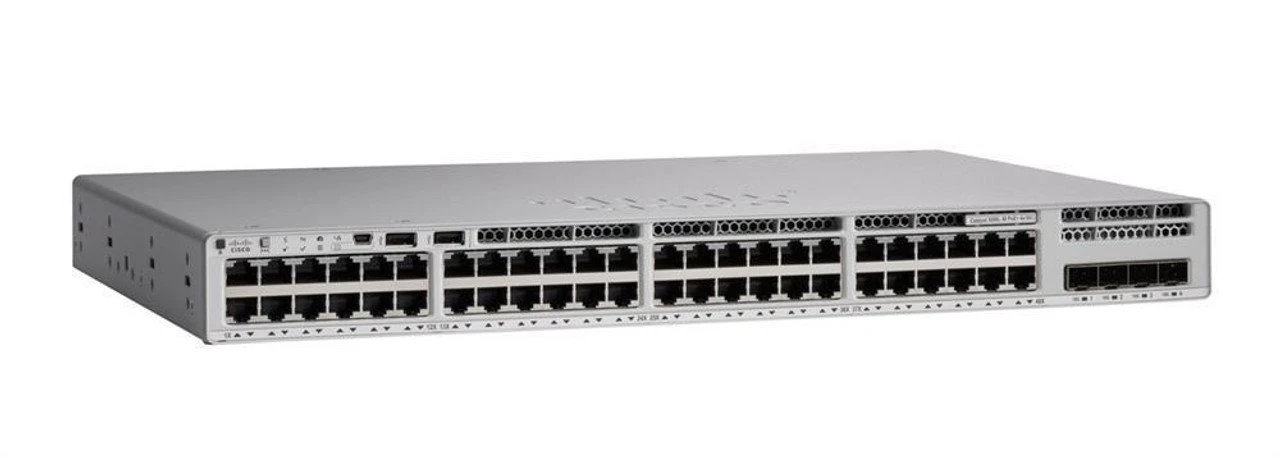
11. Choosing Networking Switches for Different Kenyan Industries
Different industries have different network requirements. The best switch for a small retail shop may not be appropriate for a university or a large corporate office.
Corporate Offices
Corporate networks commonly connect employee computers, printers, wireless access points, servers and communication systems.
A managed Gigabit switch with VLAN support, monitoring and suitable uplinks is a good starting point. Larger offices may require 24 port or 48 port switches, depending on the number of devices and the network layout.
Schools and Universities
Educational institutions often support administrative offices, computer laboratories, classrooms, wireless access points and CCTV cameras.
A suitable installation may use managed access switches, PoE for compatible devices and higher speed uplinks between buildings or network cabinets.
Network segmentation can help separate administrative systems, student devices, guest access and surveillance equipment.
Hospitals and Healthcare Facilities
Healthcare environments may depend on clinical systems, administrative computers, network printers, wireless devices and specialised equipment.
Switch selection should account for availability, security, monitoring and the requirements of connected medical systems.
Network changes should be carefully planned to avoid disrupting essential services.
Hotels and Hospitality Businesses
Hotels may have guest Wi Fi, staff networks, reception systems, payment terminals, CCTV and IP phones.
Managed switches with suitable PoE capacity and VLAN support can help separate these services and simplify administration.
Guest access should be appropriately isolated from internal business systems.
Retail Stores and Supermarkets
Retail environments may connect point of sale terminals, computers, printers, wireless access points, stock management systems and CCTV cameras.
Choose equipment that supports the number of devices and required security controls. Where payment systems are involved, network segmentation and appropriate firewall policies are particularly important.
Warehouses and Logistics Facilities
Warehouses may need to connect scanners, access points, CCTV cameras, workstations and inventory management systems.
Industrial switching equipment may be appropriate for harsh environments, but ordinary business switches can work well in protected office areas within the same facility.
Check temperature ratings, environmental protection and mounting requirements before selecting equipment for demanding locations.
Data Centres
Data centres require careful consideration of bandwidth, latency, redundancy, port density and server connectivity.
Depending on the workload, switches may need 10 Gbps, 25 Gbps, 40 Gbps, 100 Gbps or higher speed interfaces.
The correct choice depends on server network adapters, storage traffic, traffic patterns and the overall data centre architecture. Enterprise data centre switching should generally be designed around the intended workloads rather than selected solely by port count.
12. How Much Do Enterprise Networking Switches Cost in Kenya?
The cost of a networking switch in Kenya depends on its brand, port count, management features, PoE capability, uplink speeds, warranty and availability.
Basic unmanaged switches generally cost less than fully managed enterprise equipment. PoE models can cost more because they include power delivery hardware, while switches with higher speed interfaces and advanced enterprise capabilities may require a larger investment.
When budgeting, consider the following categories.
Entry Level Business Switching
Smaller unmanaged and smart managed switches can be suitable for basic connectivity or limited office networks.
They are useful when the number of devices is small and advanced network controls are unnecessary.
Midrange Managed Switching
Managed Gigabit switches with VLAN support, monitoring and optional PoE are often appropriate for growing businesses.
This category is worth considering for offices, schools, retail premises and smaller institutional networks.
Enterprise Switching
Enterprise switches designed for larger installations may offer advanced management, redundancy, higher capacity uplinks and more extensive security features.
The total cost can include software licences, support contracts, installation and ongoing maintenance.
High Speed Core and Data Centre Switching
Switches with higher speed interfaces, specialised architectures or extensive redundancy features can require substantially larger budgets.
These systems should be specified according to network traffic, server requirements and future expansion plans.
Important: Treat online prices as indicative rather than guaranteed quotations. Stock, exchange rates, warranty terms, taxes and supplier pricing can change. Request a current quotation for the exact model and configuration before making a purchasing decision.
13. Common Mistakes to Avoid When Buying Enterprise Switches
Choosing the wrong switch can lead to unnecessary spending, poor performance and expensive network upgrades.
Avoid these common mistakes.
Buying Only Based on Port Count
A 48 port switch is not automatically better than a 24 port switch. Consider bandwidth, uplinks, management features, power requirements and the number of devices that need to connect.
Ignoring the PoE Power Budget
A switch may have many PoE enabled ports but insufficient total power for every connected device at full load.
Calculate the expected power requirements before purchasing.
Choosing Unmanaged Equipment for a Complex Network
An unmanaged switch may be inexpensive, but it will not provide the same VLAN configuration, monitoring and access controls as a suitable managed switch.
Choose according to your security and administration needs.
Overlooking Uplink Bottlenecks
Multiple switches connected through insufficient uplink capacity can experience congestion, especially when many users access shared servers or transfer large files.
Evaluate the traffic flowing between switches and choose appropriate uplinks.
Ignoring Warranty and Technical Support
Enterprise networking equipment can be essential to daily operations. Verify the warranty, support arrangements, firmware availability and access to replacement equipment.
Mixing Incompatible Equipment
Not every transceiver, PoE device or management feature is compatible across all manufacturers and models.
Confirm compatibility before purchasing equipment from different product families.
Failing to Plan for Expansion
If all ports are occupied immediately, adding new devices may require more switches and additional cabling.
Allow room for growth in port capacity, uplink bandwidth and PoE power.
14. A Practical Checklist Before Buying a Network Switch
Before placing an order, confirm the following requirements.
- Number of devices that need wired connections
- Number of ports required today and in the future
- Gigabit, 2.5 Gigabit or higher speed requirements
- Number and speed of uplink ports
- PoE support and total power budget
- VLAN and network segmentation requirements
- Layer 2 or Layer 3 functionality
- Monitoring and centralized management requirements
- Redundancy and uptime requirements
- Compatibility with routers, firewalls, access points and servers
- Rack mounting, cooling and power requirements
- Warranty and technical support availability in Kenya
- Total cost, including licences, accessories and installation
If you are upgrading an existing network, document the current equipment and the number of connected devices before selecting a replacement.
15. Where to Buy Enterprise Networking Switches in Kenya
When sourcing enterprise networking equipment, choose a supplier that can provide clear specifications, a suitable warranty and guidance on compatibility.
Before purchasing, ask the supplier to confirm:
- Whether the exact model is available
- Whether the product is new or refurbished
- Whether the manufacturer warranty applies in Kenya
- Whether the required power adapters, transceivers or accessories are included
- Whether the switch supports your intended PoE devices
- Whether configuration or installation support is available
- Whether the equipment can integrate with your existing network
For larger deployments, request a quotation based on your network requirements instead of purchasing equipment based only on a model name.
A well planned procurement process helps reduce compatibility issues and makes it easier to manage support and future upgrades.
Frequently Asked Questions
Which Network Switch Is Best for a Large Office in Kenya?
The best switch depends on the number of devices, network traffic and required management features. A managed 24 port or 48 port Gigabit switch may suit many large offices, while installations with higher bandwidth demands may require faster uplinks or multi Gigabit ports.
Is a Managed Switch Better Than an Unmanaged Switch?
A managed switch is generally more suitable when you need VLANs, traffic monitoring, security controls or advanced troubleshooting. An unmanaged switch may be sufficient for simple connectivity where these features are unnecessary.
Do Enterprise Switches Need PoE?
Not all enterprise switches need PoE. It is useful when connecting compatible IP cameras, wireless access points and VoIP phones. If your devices already have independent power supplies, a non PoE switch may be sufficient.
What Is the Difference Between a Network Switch and a Router?
A switch primarily connects devices within a local network. A router directs traffic between different networks, including a local network and the internet. Layer 3 switches can also perform certain routing functions, depending on the model and configuration.
Are Cisco Switches Better Than TP Link or MikroTik?
No brand is automatically the best choice for every organisation. Cisco may be appropriate for certain enterprise environments, while TP Link and MikroTik can offer suitable options for businesses with different budgets and management requirements. Compare specific models, supported features, warranty and technical support before deciding.
How Long Should an Enterprise Network Switch Last?
The useful life of a switch depends on its build quality, operating conditions, workload, security support and business requirements. A switch may continue functioning for years but become unsuitable if it no longer receives security updates or cannot support the network’s required speeds and features.
Should I Hire a Network Engineer to Install an Enterprise Switch?
Professional installation is advisable when a network involves several VLANs, Layer 3 routing, redundancy, security policies, multiple switches or critical business systems. A qualified engineer can plan the configuration, test connectivity and document the installation.
Final Advice
Choosing the best networking switch for enterprise solutions in Kenya requires balancing performance, reliability, security, management and cost. A small office may operate effectively with a managed Gigabit switch, while a school, corporate campus or data centre may require PoE switching, higher speed uplinks, Layer 3 routing and redundancy.
Focus on your actual network requirements rather than selecting equipment solely because it has more ports or a higher price. Confirm compatibility, power capacity, management features, warranty, and support before purchasing.
Vinarq Solutions can help businesses identify suitable networking equipment for office connectivity, structured cabling, wireless access points, CCTV installations, and network expansion.
For assistance choosing networking switches, routers, Ethernet cables, and other business technology equipment, contact Vinarq Solutions.
WhatsApp / Phone: 0745108788
Email: info@vinarq.co.ke